

Key Takeaways
Replacing a battery can reset the engine computer without damaging it, but installation mistakes and electrical faults can create real problems.
- Battery disconnection may erase learned engine, transmission, and convenience settings.
- Warning lights, rough idle, stalling, and shifting changes can occur during relearning.
- Loose terminals, incorrect polarity, blown fuses, and poor grounds need checking first.
- A multimeter and diagnostic scan can separate a normal reset from a component fault.
- Programming, immobilizer pairing, or suspected module damage calls for professional help.
What happens to the engine computer when the battery is replaced
A vehicle battery does more than provide starting power. It also keeps memory alive in several electronic modules while the ignition is off. When that power is removed, the engine computer may lose stored adjustments and readiness information, so a vehicle can behave differently for a short time.
How battery disconnection affects the ECU
The ECU, or engine control unit, monitors sensors and adjusts fuel delivery, ignition, idle control, and emissions functions. Disconnecting the battery interrupts its power supply and can clear temporary operating information. That does not automatically mean the ECU has failed; it may simply need to observe the engine again under normal conditions.
Some vehicles also coordinate with transmission and body modules, so the effects can extend beyond starting and idling. A general battery replacement guide can help explain which settings may be lost during the change, although the exact procedure belongs to the vehicle manufacturer.
Why memory settings and learned values can be erased
Learned values are adjustments built up from previous driving. They can include throttle position, idle correction, transmission behavior, and emissions-monitor status. Disconnecting the battery can also reset the clock, radio presets, automatic window functions, or security-related settings, depending on the model.
The result is often temporary. Once the vehicle is driven through suitable conditions, the computer can rebuild some of those values. If symptoms remain severe or new codes appear, the reset alone is no longer a sufficient explanation.
The difference between a normal reset and a computer fault
A normal reset usually produces mild, short-lived changes: an unstable idle for a few minutes, a warning lamp that clears after testing, or a need to restore convenience settings. A computer fault is more concerning when the engine will not communicate with a scan tool, multiple unrelated systems fail, or the vehicle repeatedly loses memory after a correct installation.
The pattern of symptoms matters more than any single warning light. Before condemning an ECU, verify power, grounds, fuses, battery condition, and communication wiring. A useful overview of car computer symptoms can provide additional context, but it should not replace model-specific testing.
How the vehicle’s age and model change the reset process
Older vehicles may recover with a short drive and a basic idle procedure. Newer models can require a battery type registration, throttle or idle relearn, steering-angle initialization, or a scan-tool command. Some vehicles also use battery monitoring sensors that must be handled carefully during replacement.
Read the owner’s manual or service information before disconnecting anything. A memory-saving device may preserve settings on some vehicles, but it must be used exactly as directed and is not a substitute for correct polarity and safe electrical work.
Common symptoms after a battery replacement
Symptoms after installation range from harmless resets to evidence of a connection or charging problem. The first question is whether the vehicle starts and runs safely. Avoid assuming every new warning light means the engine computer itself is damaged.
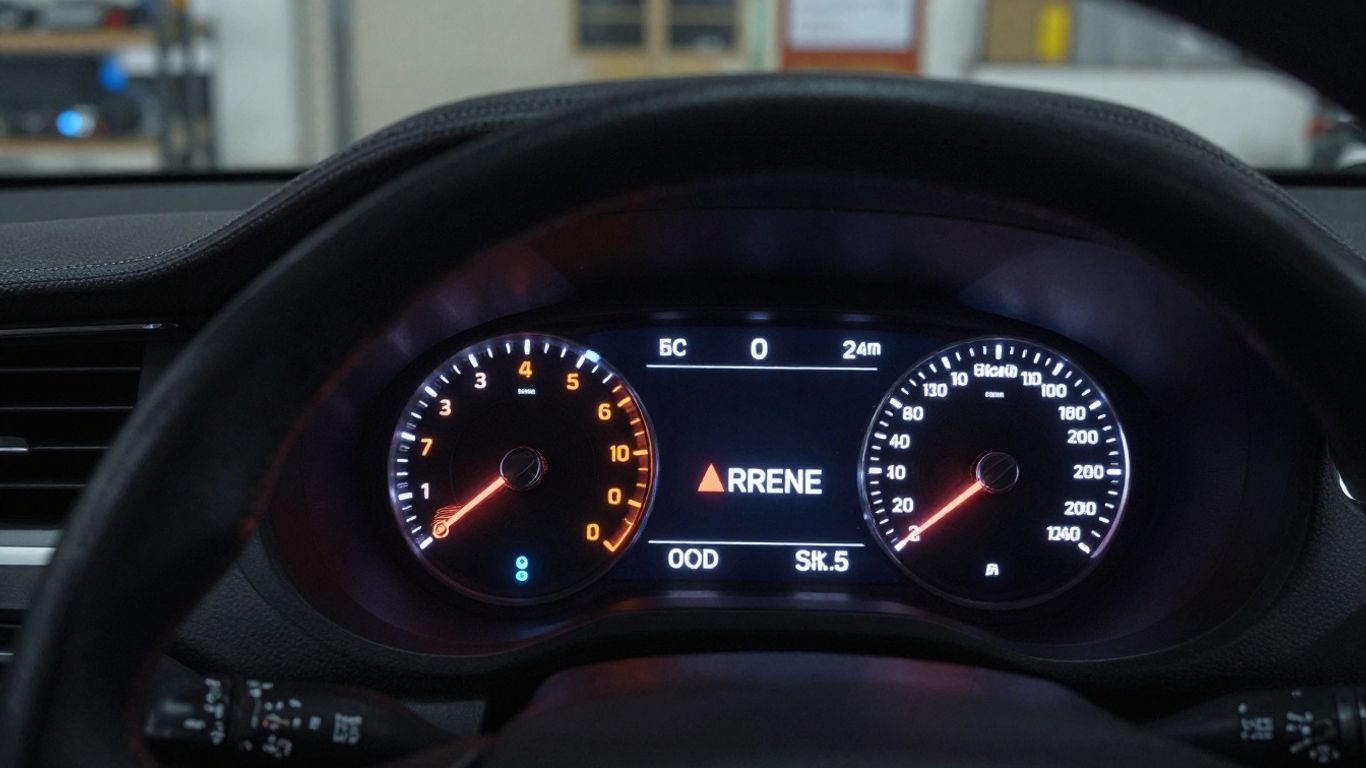
Check engine and warning lights
The check-engine light may appear because monitors were cleared or because a fault was detected during the first drive. Other lights, such as traction control, ABS, steering, or airbag warnings, can appear when modules lose communication or require initialization.
Write down which lights are on and whether they stay on after restarting. Do not erase the codes before recording them. A battery-related electrical issue guide such as electrical fault causes may help you organize the possibilities, but code descriptions must be interpreted for the specific vehicle.
Rough idle, stalling, or difficult starting
A rough idle can happen while the ECU relearns throttle and airflow behavior. Starting may also take longer if the battery is weak, the terminals are not making full contact, or the fuel and ignition systems were disturbed by a separate fault. Repeated stalling, a no-start condition, or an engine that dies when accessories are switched on deserves prompt diagnosis.
Check whether the starter turns the engine briskly. Slow cranking points toward battery capacity, cable resistance, or charging issues rather than a relearn problem. Never keep driving if the engine stalls in traffic or the vehicle cannot maintain safe control.
Transmission shifting and drivability problems
Some automatic transmissions use adaptive shift data that can be cleared with battery disconnection. The first shifts may feel firmer, softer, or less consistent while the system adapts again. However, harsh engagement, slipping, a transmission warning, or limp mode should not be dismissed as normal memory loss.
Drive gently until the vehicle has been checked or the required relearn is complete. Sudden acceleration, severe bucking, and inability to select a gear are reasons to stop rather than force an adaptation drive.
Loss of power, fuel economy, or electrical functions
Reduced power and poor fuel economy can reflect temporary relearning, a low system voltage, or a newly exposed sensor problem. Lost radio presets and automatic windows are usually minor, while inoperative ignition, lighting, or safety systems are not. The more unrelated functions fail together, the more useful a complete power-and-ground inspection becomes.
If the vehicle has no obvious mechanical symptoms but several modules are offline, look beyond the engine computer. A blown fuse, damaged ground strap, or communication fault can imitate ECU trouble.
Why engine computer problems can appear after installation
Battery replacement is a simple task only when the battery, tools, connections, and sequence are all correct. A new battery can expose an existing charging fault, while an installation error can create a new one. Work with the ignition off and keep metal tools away from both terminals.
Incorrect battery size, type, or polarity
The replacement battery must match the vehicle’s required physical size, terminal arrangement, capacity, and battery technology. Some vehicles are designed for a particular battery type and may need the replacement registered in the vehicle’s electronics. Reversing polarity can damage fuses, modules, or wiring almost instantly.
Do not rely on appearance alone. Compare the old battery’s specifications with the vehicle documentation, and verify positive and negative markings before connecting the cables. If polarity was accidentally reversed, stop testing and arrange an electrical inspection.
Loose, corroded, or damaged battery connections
A terminal can look attached while still making poor electrical contact. Corrosion between the post and clamp adds resistance, and a loose ground can cause intermittent resets, hard starting, warning lights, or communication failures. Inspect the main negative cable where it attaches to the body and engine, not just the battery post.
After cleaning and tightening, confirm that the cables cannot rotate by hand. Do not overtighten a clamp or crack the battery post. A damaged cable may need replacement even when the terminal appears clean.
Voltage spikes during removal or installation
Electronic modules are sensitive to abnormal voltage, especially when a battery is connected or disconnected with accessories operating. Sparks, accidental short circuits, or using unsuitable external power can create a surge. The risk is higher when tools bridge a terminal to the body or when cables are connected in the wrong order.
Keep the ignition and accessories off during the change. Follow the manufacturer’s sequence, and never use a high-voltage source to “wake up” a vehicle computer. If a surge occurred, inspect fuses and scan for communication faults before replacing expensive parts.
Blown fuses, bad grounds, and charging-system faults
A fuse can open during an installation mistake and leave one system or an entire communication branch without power. A weak ground can cause equally confusing symptoms. Once the engine is running, an alternator or voltage regulator fault may also overcharge or undercharge the system and make the new battery appear to be the cause.
Check the relevant fuses with the correct test method rather than replacing them repeatedly. The broader battery electrical troubleshooting guidance is useful when readiness monitors or computer functions do not return as expected, but persistent voltage problems require hands-on testing.
How to diagnose the problem safely
Diagnosis should begin with simple physical checks before anyone blames the ECU. Park safely, set the parking brake, and avoid probing connectors with unsuitable equipment. If the battery is swollen, leaking, hot, or emitting a strong odor, do not continue handling it.
Inspecting the battery terminals and ground connections
Look for white or blue corrosion, cracked clamps, loose fasteners, frayed cables, and a ground strap that is detached from the engine or body. Check that the positive terminal cover is fitted and that no cable has been trapped under the battery hold-down. A visual inspection often finds the problem faster than replacing a module.
After the inspection, confirm the battery is secured and the terminals are tight. If the connection becomes hot during cranking, stop: high resistance may be present, and continued testing can damage the cable or battery.
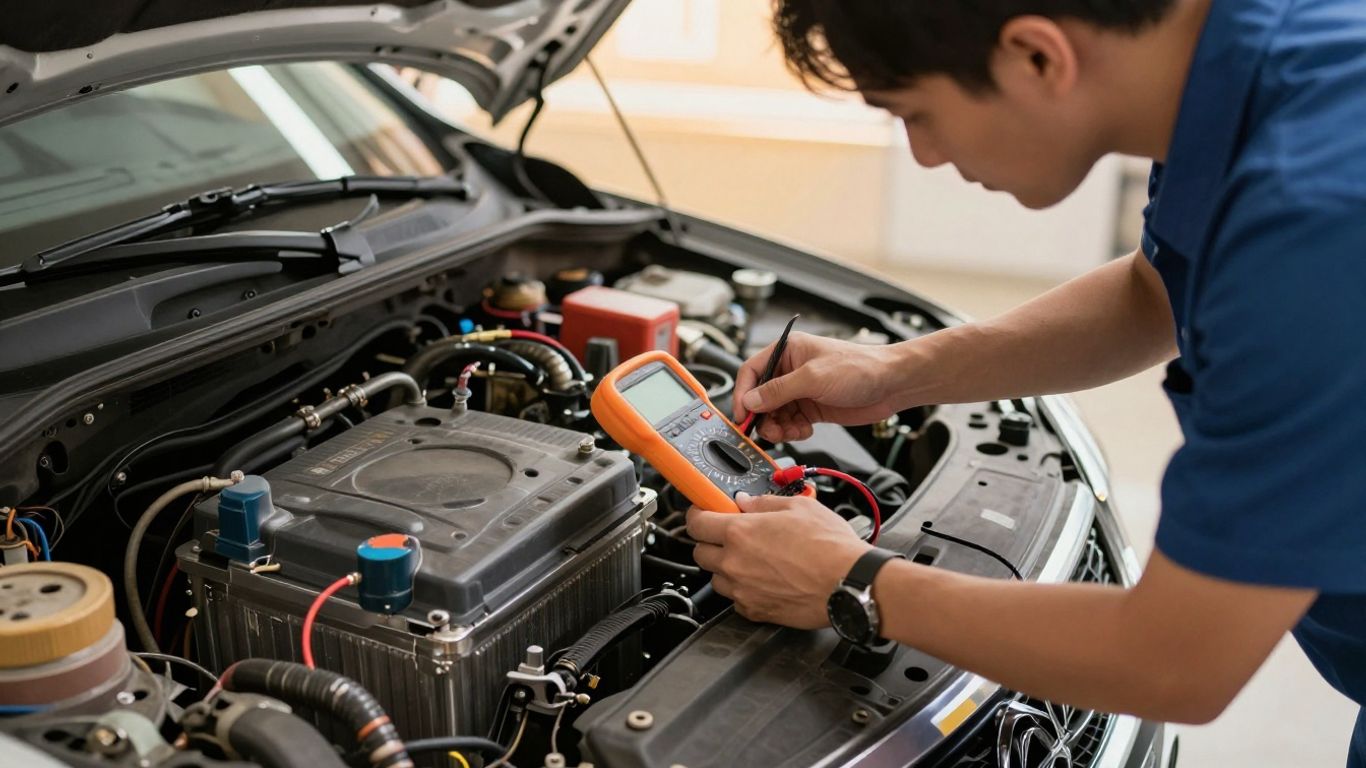
Checking voltage with a multimeter
A multimeter can show whether the battery and charging system are in a reasonable range, but the reading must be taken correctly. Measure across the posts with the vehicle off, then observe the voltage during cranking and with the engine running. A healthy-looking static reading does not prove the battery can deliver current under load.
Use the vehicle’s service specifications rather than treating one universal number as proof. These checks should answer three basic questions before deeper diagnosis:
- Is the battery charged enough for reliable testing?
- Does voltage collapse excessively while starting?
- Does the charging system maintain stable voltage when the engine runs?
The answers help separate a power-supply problem from a memory or communication issue. If readings are unstable, resolve that fault before performing relearn procedures.
Scanning for diagnostic trouble codes
A scan tool can reveal stored, pending, and communication codes that are invisible from the dashboard. Record the codes and the modules reporting them before clearing anything. Codes related to low voltage may be secondary, while a code that returns immediately after clearing deserves closer attention.
A scan is also useful for checking whether the engine computer can communicate at all. If the tool cannot connect, verify the diagnostic connector’s power and ground, the relevant fuses, and the vehicle battery before concluding that the ECU is defective.
Distinguishing relearn procedures from component failures
Relearn is plausible when the vehicle starts, basic functions work, symptoms improve with driving, and no hard fault returns. A component failure is more likely when the same fault returns immediately, a sensor value is impossible, a fuse blows again, or several modules lose communication.
Do not perform repeated battery disconnects as a general reset strategy. That can erase useful evidence and delay the real repair. Compare symptoms before and after the battery change, then test one system at a time.
How to reset and relearn the engine computer
There is no single reset sequence that works for every vehicle. Some computers relearn automatically, while others require a precise idle, throttle, transmission, or battery-registration procedure. The safest approach is to use the manufacturer’s instructions and avoid improvised sequences copied from an unrelated model.
Following the manufacturer’s battery replacement procedure
Start with the owner’s manual or service information for battery type, terminal order, memory-saving guidance, and registration requirements. Some procedures specify a waiting period before reconnecting the battery; others require windows, steering, or clocks to be initialized afterward.
If the manual calls for a battery monitoring sensor reset or registration, skipping that step can affect charging behavior. Keep notes about settings and codes before beginning so you can tell which changes are expected.
Performing an idle or throttle relearn
An idle or throttle relearn teaches the computer how the engine responds at closed throttle and at idle. The procedure may involve warming the engine, switching accessories off, allowing a period of idling, or using a scan tool. Conditions such as coolant temperature and steering load can matter.
Follow the exact sequence for the vehicle. If the engine cannot maintain idle, stalls repeatedly, or has a warning light that will not clear, stop repeating the procedure and return to diagnosis.
Driving through the required readiness cycle
Emissions monitors need specific combinations of cold starts, steady cruising, deceleration, and idle time. Battery disconnection clears readiness status, so a vehicle may not be ready for an emissions test even when it runs normally. A short trip around the block is often not enough.
Keep the fuel level and vehicle condition within the manufacturer’s stated limits, and drive only when the vehicle is safe. Information about emissions readiness cycles can clarify why a recently reset computer may need more time before testing.
When a professional scan tool is necessary
A professional scan tool becomes useful when the vehicle needs a commanded relearn, battery registration, module configuration, or access to manufacturer-specific data. It can also show live sensor values and communication status that a basic code reader cannot.
Do not buy an ECU or erase codes simply because a generic reader reports a fault. The correct scan procedure may identify a fuse, ground, sensor, or network issue instead. For broader service planning, even an automotive IT guide illustrates why specialized technical support can matter in complex automotive environments, though it is not a repair manual.
When engine computer problems require professional repair
Professional help is appropriate when basic power checks do not explain the symptoms or when the vehicle is unsafe to drive. Modern vehicles contain multiple communicating modules, and one failed supply or network circuit can make several systems appear defective. A proper diagnosis is usually cheaper than replacing parts by guesswork.
Warning signs of ECU or module damage
Suspect possible module damage when there is no communication after verified power and ground checks, repeated internal-module codes, visible water or heat damage, or a fuse that opens again immediately. A no-start condition combined with multiple dead systems is also more serious than a temporary rough idle.
These signs are not proof by themselves. The ECU should be tested against wiring diagrams and known-good power, ground, and network conditions before replacement is considered.
Situations that require programming or immobilizer pairing
A replacement engine computer may need software configuration, vehicle-specific data, or immobilizer pairing before the engine will start. Some vehicles also require keys, security modules, or other control units to be synchronized. A physically compatible unit is not necessarily electronically ready to install.
Because security procedures vary, do not attempt random programming steps or install a used module without checking compatibility. A qualified repair facility can confirm what information must be transferred and whether the original unit is repairable.
How mechanics test wiring, sensors, and communication networks
A mechanic may use wiring diagrams, voltage-drop tests, back-probing methods, oscilloscope measurements, and a scan tool that communicates with several modules. They may test sensor reference voltage, continuity under load, CAN communication, grounds, and fuse-box feeds. This layered process prevents a downstream wiring fault from being mistaken for a failed ECU.
The order matters. Power and grounds are checked first, then network integrity and sensor inputs, followed by module function. A code points toward a circuit; it does not automatically identify the part to replace.
Repair and replacement considerations for the engine computer
Repair or replacement depends on the fault, availability of a matching unit, programming requirements, and evidence of water, heat, or electrical damage. The technician should document the original symptoms and confirm the repair with a scan and road test. If the battery or alternator caused abnormal voltage, that underlying issue must be corrected too.
Ask what failed, what testing proved it, and what programming is included. A clear diagnosis is especially valuable when the vehicle has engine computer problems after replacing battery, because the battery change may be coincidental rather than the root cause.
Conclusion
Engine computer problems after replacing battery can come from a normal loss of learned values, a poor connection, incorrect battery installation, or a genuine electrical or module fault. Start with safe inspection and voltage checks, record diagnostic codes, follow the vehicle-specific relearn process, and bring in a professional when communication, programming, or safety concerns enter the picture.
Frequently Asked Questions
Can replacing a battery damage the engine computer?
It can, but damage is not the usual explanation for mild rough running or lost settings. Incorrect polarity, a short circuit, abnormal voltage, or a failed fuse can cause damage and should be investigated if symptoms are severe.
How long does an ECU take to relearn after a battery change?
Some values may return within minutes, while emissions monitors and transmission adaptations can require several normal trips. The required time depends on the vehicle and the specific function being relearned.
Why is the check-engine light on after installing a new battery?
The light may appear because diagnostic memory and readiness information were cleared, or because the computer detected a real fault. Reading the codes before clearing them is the best way to tell the difference.
Can a weak battery cause computer problems?
Yes. Low voltage during starting or unstable charging voltage can create communication errors, warning lights, and hard-start symptoms. Battery condition and charging output should be verified before replacing electronic modules.
Should I disconnect the battery again to reset the ECU?
Repeated disconnection is rarely the best next step. It can erase useful diagnostic information and may not perform the relearn or registration that the vehicle requires.
Is it safe to drive after a battery replacement if the idle is rough?
A brief mild fluctuation may occur during relearning, but stalling, severe bucking, a no-start condition, or safety-system warnings make driving risky. Stop in a safe location and arrange diagnosis.
Will a basic code reader diagnose an ECU failure?
A basic reader can retrieve some engine codes, but it may not access every module, live data stream, or programming function. Confirmed ECU diagnosis usually requires checking power, grounds, communication circuits, and vehicle-specific data.