

Key Takeaways
Matching a replacement ECU to a VIN is more than typing a number into a scan tool. Compatibility, module configuration, immobilizer data, and post-programming checks all matter.
- Record the vehicle VIN and the replacement ECU identifiers before programming.
- Confirm the ECU matches the engine, transmission, emissions system, region, and trim.
- Use a diagnostic tool that specifically supports VIN writing and module programming.
- Keep battery voltage stable and save original data whenever the tool allows it.
- Scan, test, and document the vehicle after programming is complete.
Understand how the ECU and VIN are connected
The VIN identifies the vehicle, while the ECU manages engine-related control functions. During an ECU replacement, the two systems may need to agree before the vehicle operates normally. The exact process varies by manufacturer, model year, and module design, so treat this guide as a careful workflow rather than a universal button-by-button procedure.
What the VIN identifies in a vehicle
A vehicle identification number is a unique identifier assigned to a vehicle. It is associated with details such as the manufacturer, vehicle line, model year, production sequence, and market configuration. Registration documents, the dashboard plate, and the vehicle body usually provide the most reliable references.
The VIN is not the same thing as an ECU part number. One identifies the vehicle; the other identifies an electronic component and its intended hardware or software application. Keeping those identifiers separate prevents a common mistake when researching a replacement.
How the ECU stores or uses the VIN
Depending on the vehicle, the ECU may store the VIN in its memory or use it while communicating with other control modules. Diagnostic equipment can sometimes display the stored value, but the available functions differ between vehicles and tools. Some systems also compare configuration or security data rather than relying on the VIN alone.
That is why a replacement unit can have the correct connector and still require setup. The hardware may fit physically while its stored identity, calibration, or configuration does not match the vehicle.
Why VIN matching is required after an ECU swap
VIN matching helps the replacement ECU identify the vehicle it is installed in and communicate consistently with the wider electronic system. A mismatch may produce diagnostic trouble codes, communication faults, a security warning, or a no-start condition. It can also complicate emissions testing where the vehicle’s diagnostic state is checked.
The phrase correct matching sequence matters here: first confirm compatibility, then program the module, and only afterward clear faults or evaluate readiness. Clearing codes before solving the underlying mismatch can hide useful evidence without fixing the problem.
ECU, PCM, ECM, and BCM differences
ECU is a broad term for an electronic control unit. ECM commonly refers to an engine control module, while PCM often refers to a powertrain control module that manages engine and transmission functions. BCM generally means body control module and may handle functions such as lighting, locks, or other body electronics.
These names are not interchangeable in every vehicle. Before selecting a menu in a scan tool, verify the module name in the service information and confirm that you are working on the replacement unit rather than a related controller.
Gather the vehicle and ECU information
Good programming starts with identification, not the scan tool. Collect the VIN, vehicle specifications, ECU labels, and replacement-part history before connecting power. This preparation makes it easier to spot a mismatch while there is still time to return or exchange the part.
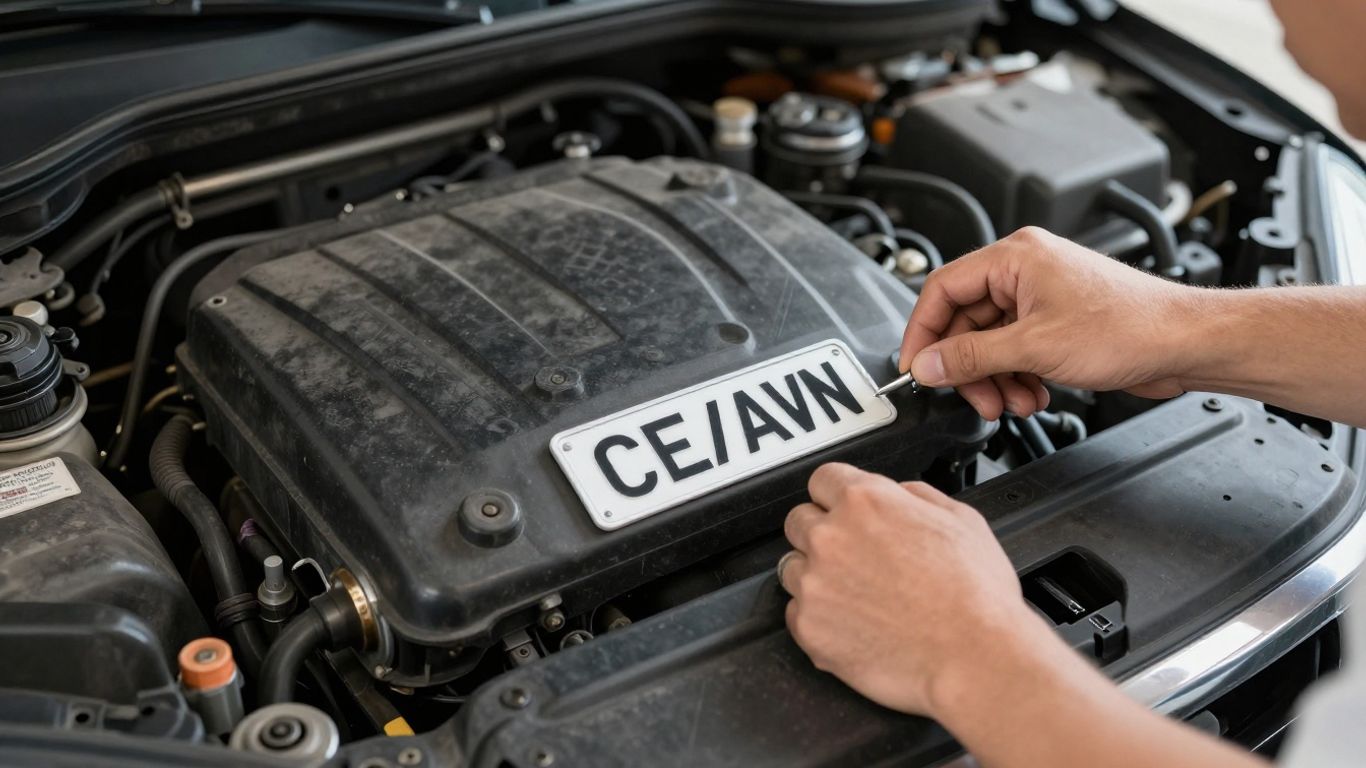
Locate the VIN on the vehicle
Read the VIN from the dashboard plate, driver-side door label, registration paperwork, or manufacturer documentation. Compare at least two sources when possible, especially if a label is damaged or the vehicle has undergone body repairs. Enter the number exactly as shown, without substituting similar-looking characters.
A single incorrect character can make a valid programming attempt apply the wrong identity. Photographing the VIN and recording it in the job notes can reduce transcription errors.
Find the ECU part number and hardware ID
Inspect the ECU label for the part number, hardware identifier, serial information, and software or calibration references. Photograph the label before installation. If the label is incomplete, a diagnostic scan or manufacturer parts database may provide additional information.
For BMW or MINI applications, an ECU identification service such as ECU identification guidance can be a useful reference for understanding which identifiers need to be confirmed. Do not treat an identification result as proof that every unit with a similar label is interchangeable.
Check the vehicle’s year, make, model, and engine
Write down the vehicle’s model year, make, model, engine size, fuel type, transmission, and market. Trim level and drivetrain can also affect the required module. These details are more useful together than individually because a part that suits one engine or market may not suit another vehicle with the same badge.
If the engine or transmission has been modified, note that as well. Factory programming and current hardware may no longer describe the same configuration, which can affect the next diagnostic step.
Confirm whether the ECU is new, used, or refurbished
Ask whether the replacement ECU is new, used, refurbished, or remanufactured, and find out whether it has been cleared or pre-programmed. A used unit may retain identity or security information from its original vehicle. A refurbished unit may have different procedures depending on the supplier and manufacturer.
Keep the seller’s part description, invoice, and any programming report. Those records help establish what was supplied if the ECU cannot be configured or the part number later proves unsuitable.
Check ECU compatibility before programming
Programming cannot correct every hardware mismatch. Before writing a VIN, compare the replacement unit with the original and confirm that its application fits the vehicle. This is the point at which careful research is usually cheaper than repeated programming attempts.
Match the ECU part number and software version
Compare the complete part number, suffixes, hardware revision, and software information. Some manufacturers use superseded numbers, while others require an exact match or a defined replacement path. A similar-looking number is not enough evidence on its own.
Where available, use manufacturer service information or a validated parts database to check interchangeability. If the replacement requires a software update, confirm that the update is intended for that hardware before beginning.
Compare engine, transmission, and emissions specifications
The replacement ECU must support the vehicle’s engine and, where applicable, its transmission communication and emissions configuration. Differences in sensors, fuel systems, catalytic equipment, market requirements, or transmission strategy can make two otherwise similar vehicles incompatible.
A successful VIN write does not prove that the calibration is correct. It only addresses one part of the vehicle’s identity and configuration.
Identify regional and trim-level differences
The same model can use different modules across countries, emissions regions, model years, and trim levels. Features such as four-wheel drive, turbocharging, hybrid systems, or different safety equipment may change the required software or communication setup.
Confirm the vehicle’s original market and build information before ordering. This is especially useful when a used ECU was sourced from another country or from a vehicle with a different option package.
Verify used ECU compatibility with manufacturer databases
A manufacturer database or authorized diagnostic platform may show whether a used ECU can be reprogrammed, whether it must be virginized, or whether security functions require a separate procedure. Access and terminology vary, and some operations are restricted to qualified providers.
A community account can add context but should not replace documentation. For example, a VIN mismatch discussion illustrates why experiences with used modules can differ between vehicles and why clearing a fault is not the same as completing programming.
Use an OBD2 scanner or manufacturer diagnostic tool
The scan tool is the bridge between the vehicle and the replacement ECU. Choose it for the specific operation required, not simply because it can read generic fault codes. Keep the vehicle stationary, use a stable power source, and avoid interrupting communication once programming begins.
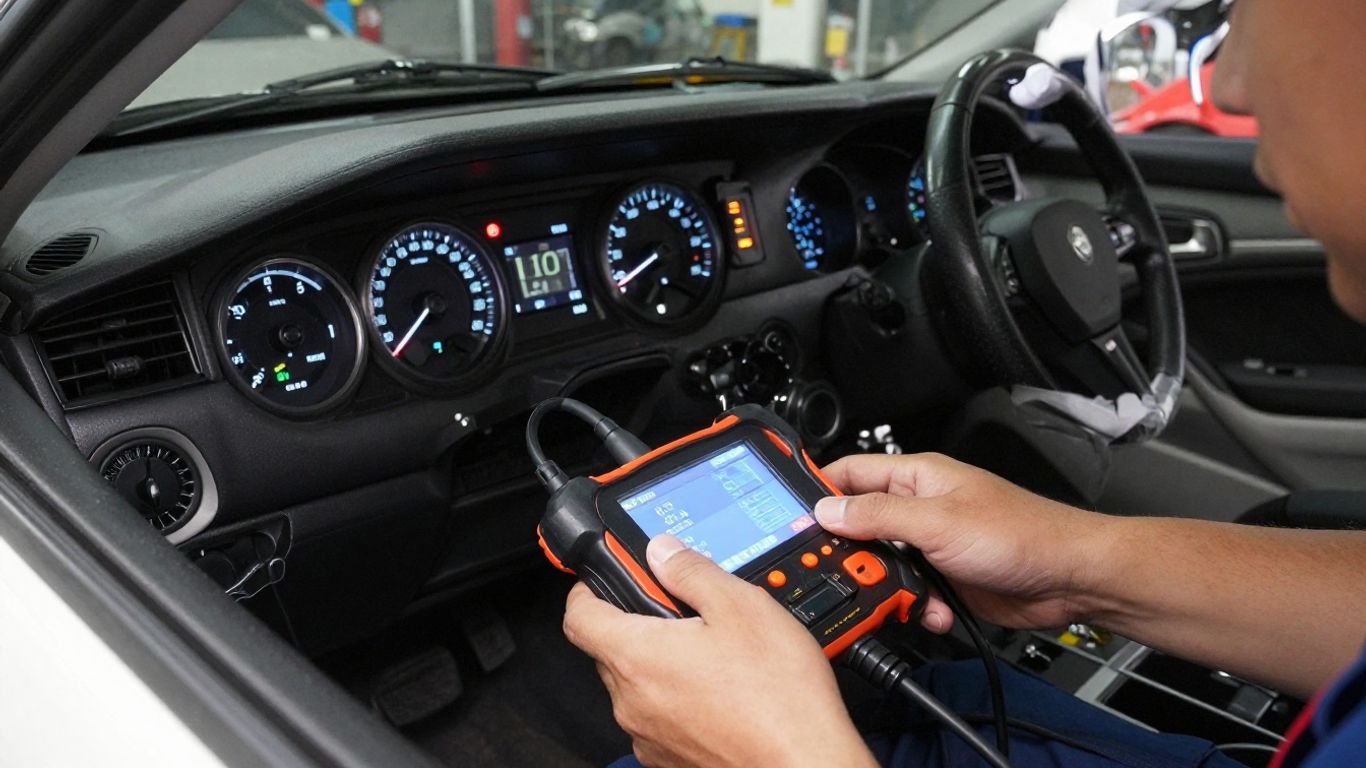
Choose a scanner with VIN-writing capability
A basic code reader may display faults but cannot necessarily write a VIN or configure a replacement module. Check the tool’s documented functions for the vehicle and module before purchase or setup. Manufacturer-level equipment may be required for security access, software downloads, or immobilizer procedures.
The scan tool should also identify the correct control unit and report programming status clearly. If the instructions are vague about VIN writing, module replacement, or security functions, pause and verify compatibility before connecting.
Connect the tool safely to the diagnostic port
Locate the OBD2 port, connect the tool firmly, and follow the vehicle-specific ignition instructions. Switch off accessories that are not needed, keep the key or smart key in the required position, and do not disconnect the cable during communication.
Before selecting a programming function, confirm that the tool recognizes the vehicle and that the ECU responds. If communication fails at this early stage, investigate power, grounds, fuses, connectors, and network faults before attempting a write.
Save the original ECU data before making changes
If the tool supports identification reports, backups, or configuration exports, save them before changing the replacement unit. Record the original VIN display, calibration information, fault codes, and module status. Not every vehicle permits a complete backup, so follow the tool’s instructions rather than assuming a copy is available.
This record gives you a reference if the replacement behaves differently. It also helps a technician understand what happened if dealer-level programming becomes necessary.
Follow the tool’s programming and voltage requirements
Read the programming instructions from start to finish before launching the operation. Many procedures require stable battery voltage, a connected charger designed for programming, a specific ignition state, and uninterrupted network communication. Do not substitute a casual trickle charger if the instructions call for a regulated programming supply.
If the tool reports low voltage, lost communication, or an invalid file, stop and resolve that condition. Repeated attempts can create more confusion than a single careful interruption followed by technical support.
Program the VIN into the replacement ECU
Once compatibility and power are confirmed, the actual programming sequence can begin. The menu names differ by manufacturer, but the logic is usually similar: identify the vehicle, select the replacement module, enter the VIN or initiate an automated write, and complete any required configuration. Keep the original records nearby while working.
Connect to the vehicle and select the correct module
Turn the ignition to the position specified by the tool and allow it to identify the vehicle. Select the ECU, ECM, or PCM that was replaced, not a neighboring body or transmission module unless the procedure explicitly includes it. Confirm the module identification on screen before proceeding.
If the scan tool displays more than one matching controller, use the part number and communication details to distinguish them. A wrong-module selection can lead to an incomplete or irrelevant procedure.
Enter or write the vehicle identification number
Enter the VIN exactly as recorded and review every character before confirming. Some tools read the VIN from another module and offer an automatic transfer; others require manual entry or a guided replacement routine. Follow the screen prompts and wait for a completion message.
Do not assume that a displayed VIN means the entire setup is finished. The module may still need configuration, calibration, security synchronization, or a key-related procedure.
Complete software updates and configuration procedures
After the VIN step, complete any required software update, variant coding, configuration reset, or initialization. Use only the file and procedure intended for the vehicle’s hardware and market. If a tool requests a calibration choice, stop and verify the application rather than selecting the closest-looking option.
A replacement ECU can have the correct identity and still contain unsuitable configuration data. The final scan should therefore check both communication and faults after all guided steps are complete.
Perform a key relearn or immobilizer synchronization
Some vehicles require the ECU to synchronize with the immobilizer, keys, or another security module after replacement. The procedure may require security credentials, a timed cycle, or a manufacturer-authorized tool. Follow the documented sequence precisely and keep all keys available if the procedure requests them.
If the engine does not start afterward, do not repeatedly crank it while guessing. Check security indicators, module communication, battery voltage, and the tool’s procedure status before escalating.
Diagnose problems after VIN matching
A VIN write that finishes without an obvious error is encouraging, but it is not the final test. Read the vehicle again, compare module identities, and separate communication faults from calibration or security faults. A methodical diagnosis is faster than treating every warning as a VIN problem.
Recognize incorrect VIN and communication errors
An incorrect VIN may appear as a mismatch between modules, an invalid identifier, or a stored programming fault. Communication errors can also result from low voltage, damaged wiring, poor grounds, a disconnected connector, or a network problem unrelated to the VIN.
Record the exact code and module that reported it. The source matters: a body module reporting that it cannot communicate with the ECU calls for a different first check than an ECU reporting an invalid internal VIN.
Resolve immobilizer, no-start, and security light issues
A no-start condition after ECU replacement may involve immobilizer synchronization, key registration, module pairing, fuel authorization, or a power supply issue. Check the security indicator and scan all relevant modules rather than relying only on the engine controller.
Avoid bypassing security systems or making undocumented changes. If the tool cannot complete the authorized relearn, use manufacturer procedures or obtain help from a qualified automotive technician.
Check for mismatched calibration or configuration data
Look for faults involving sensors, actuator control, emissions equipment, transmission communication, or vehicle options. These may indicate that the ECU software does not match the installed hardware even when the VIN is correct.
Compare the replacement’s calibration and configuration with the vehicle record. A correct part number, software update, and configuration procedure should agree; if they do not, stop driving the vehicle until the mismatch is understood.
Know when dealer-level programming is required
Dealer-level or specialist programming may be necessary when the procedure requires protected security access, online authorization, manufacturer files, or a module state that a general scan tool cannot change. It may also be the safest option after a failed update or interrupted programming event.
Bring the vehicle details, ECU label photographs, saved scan reports, fault codes, and replacement invoice. Clear information lets the technician begin with evidence instead of repeating every preliminary step.
Confirm the ECU installation and stay compliant
The final stage is verification. A vehicle that starts is not automatically finished, because stored faults, readiness monitors, and incorrect identification can remain. Complete the checks below before returning the vehicle to regular use or presenting it for inspection.
Scan for diagnostic trouble codes
Run a complete vehicle scan, not just a generic engine-code check. Save current, pending, and history codes where the tool allows it, and note which modules communicate. Address active faults before clearing anything so the diagnostic record remains useful.
After repairs, clear codes only according to the vehicle or tool instructions, then rescan. A fault that returns immediately deserves attention even if the engine appears to run normally.
Verify the VIN with a second diagnostic scan
Use the scan tool’s identification or module-information function to confirm the VIN stored in the replacement ECU. Compare it with the vehicle documents and, when possible, check related modules for consistent identification. This second look catches simple entry errors that may otherwise remain hidden.
Do not confuse a VIN shown in the scan tool’s vehicle profile with the VIN actually stored in the ECU. Review the module data itself.
Test engine operation and readiness monitors
Start the engine, observe idle and warning lights, and check for abnormal running symptoms. Follow the manufacturer’s drive-cycle guidance to evaluate emissions readiness monitors. Monitors may not be ready immediately after codes are cleared or a module is replaced.
A vehicle may need normal driving over several conditions before the monitors complete. Check local inspection requirements before scheduling a test, because a recently reset system may not be accepted even when no warning light is present.
Keep programming records and replacement-part documentation
Save the original and replacement ECU numbers, VIN confirmation, software or calibration information, scan reports, fault codes, programming date, tool used, and supplier invoice. A short record can prevent hours of uncertainty during a later repair.
It also helps demonstrate that the replacement was identified and configured responsibly. Keep the documents with the vehicle’s service history rather than relying on memory.
Conclusion
Matching an ECU to a VIN is a controlled identification and programming process, not merely a code-clearing exercise. Confirm the part, preserve the original data, use the correct programming method, complete security and configuration steps, and verify the result with a full scan and road test. When the vehicle or tool requires protected access, handing the job to a qualified specialist is the sensible next step.
Frequently Asked Questions
Can I match an ECU to a VIN with any OBD2 scanner?
No. Many basic scanners read codes but cannot write a VIN, configure a replacement ECU, or perform immobilizer synchronization. Check the tool’s documented functions for the exact vehicle and module.
Does a replacement ECU always need VIN programming?
No. Requirements vary by manufacturer, vehicle, module type, and whether the unit is new, used, or refurbished. Confirm the procedure in the vehicle’s service information before programming.
Can the correct VIN make an incompatible ECU work?
No. VIN writing does not change incompatible hardware, unsuitable calibration, or missing vehicle features. The ECU must match the engine, transmission, emissions system, market, and required software.
Why does the vehicle still show a security light after VIN matching?
The immobilizer or another security module may still need synchronization, or the vehicle may have a communication, key, power, or configuration fault. Scan the related modules and follow the authorized relearn procedure.
Will clearing trouble codes fix a VIN mismatch?
Usually not. Clearing codes removes stored information but does not necessarily change the VIN, calibration, or security relationship between modules. Rescan after correcting the underlying issue.
Can a used ECU be programmed to another vehicle?
Sometimes, but it depends on the vehicle and ECU design. A used unit may retain security or identity data and may require a manufacturer-approved reset, reprogramming process, or specialist service.
What should I do if programming is interrupted?
Stop and maintain stable vehicle power. Record the tool’s exact message, avoid repeated attempts, and consult the manufacturer procedure or a qualified technician before continuing, especially if the ECU no longer communicates.